

HALLWAY MANAGEMENT
Automate your hallway policy and protect class time with a comprehensive digital hall pass system. No more meetups. No more asking, “Where are you supposed to be?” Other passes give you a time stamp, Minga solves the hallway:
 Automated Hallway Policy
 Meetup Detection & Prevention
 Hall Pass Queue
 Integrated Bell Schedule
 Visibility & Reporting
Proven Results in Hallway Management
“Minga's digital hall pass system will save your teachers time.”

Hallway traffic is down!

Trusted by 2,500+ Schools to Reduce Hallway Disruptions & Protect Class Time

How it Works
What Digital Hall Passes With Minga Looks Like
With advanced insights and controls, Minga doesn’t just offer an electronic hall pass, it solves the hallway. Built teacher-first, so it never feels hard to use.
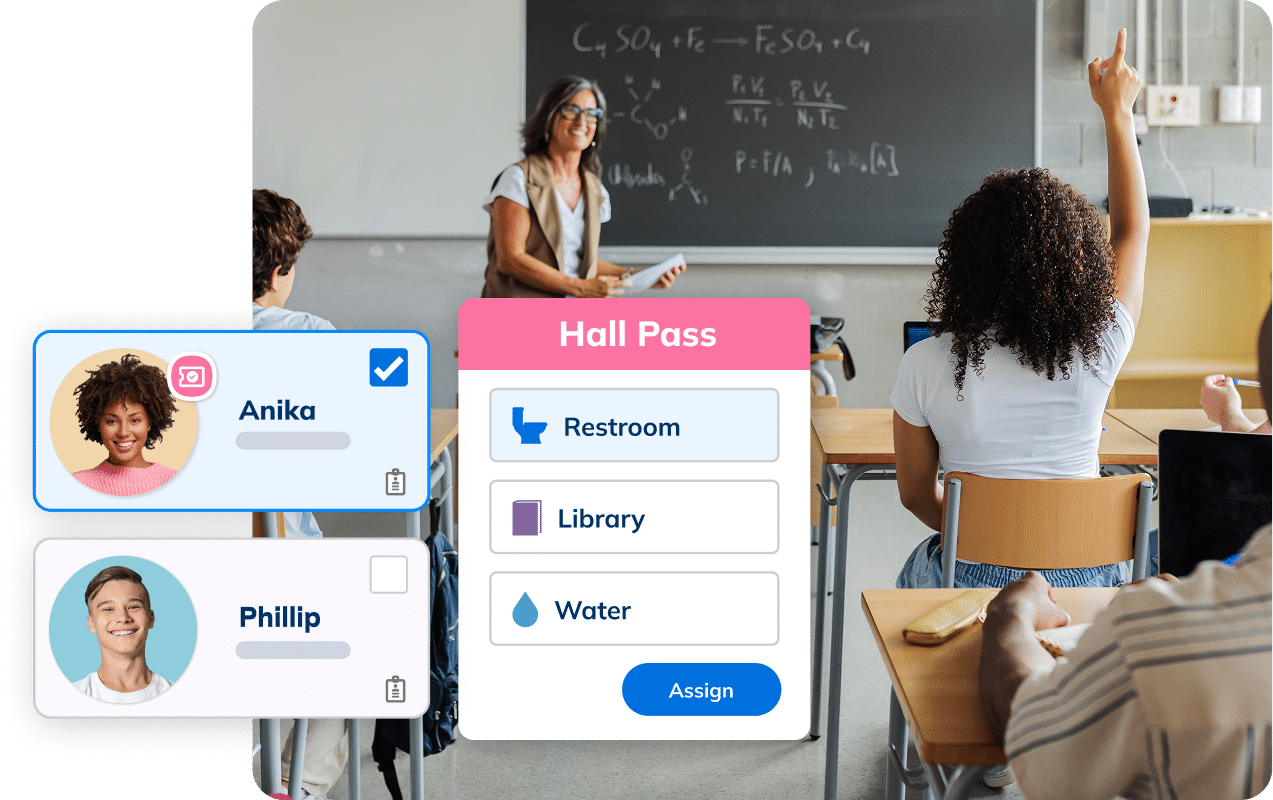
Automated hallway policy
Your Hallway Policy, Enforced Automatically
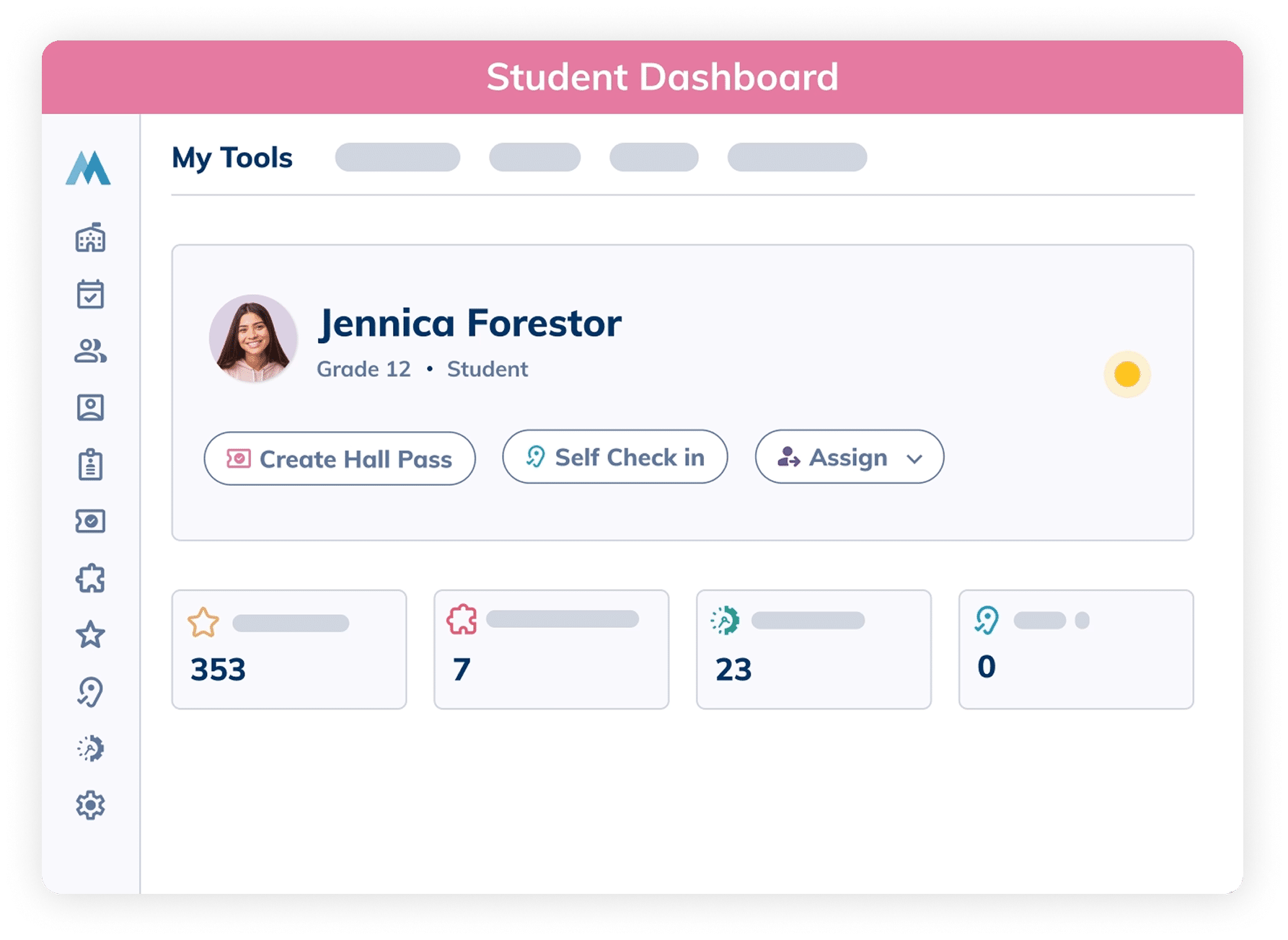
A hall pass takes 3 clicks. What happens next takes care of itself: daily limits, blocked-off class time, capacity caps. Choose student-led, teacher-approved, or in kiosk mode for rooms without 1:1 devices, the policy runs itself every time.
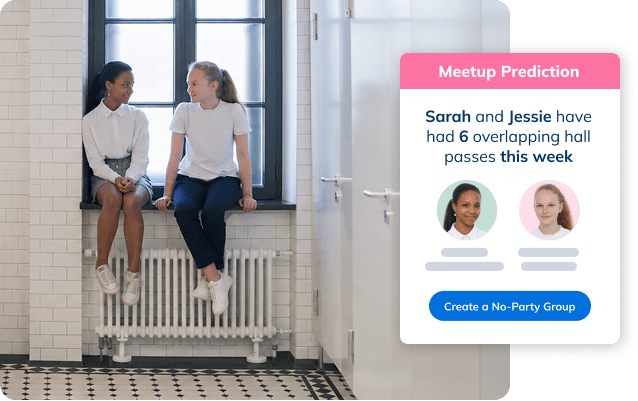
Meetup detection & Prevention
Stop Meetups Before They Start
See who keeps ending up in the halls and bathrooms at the same time, then add them to No Party Groups so they can’t leave class together. That means fewer meetups tied to vaping, violence, and vandalism.
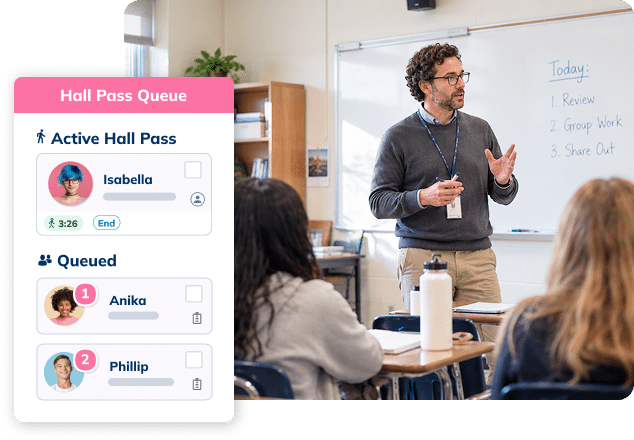
hall pass queue
Automate the Waitlist. Instantly Know Who’s Next.
If too many students are out at once or a No Party Group is active, requested passes join a queue automatically. Each student sees their place in line so it’s one less thing for your teachers to manage.
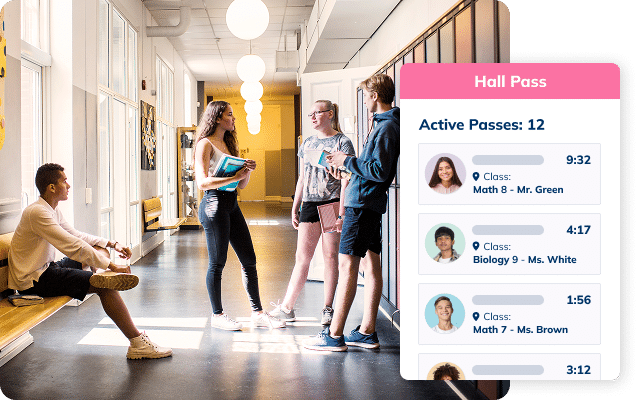
Integrated bell schedule
Always Know Where a Student is Supposed to Be
Minga syncs with your master bell schedule and rosters, so every hall pass shows which class a student is supposed to be in right now. No more guessing in the hallway.
VISIBILITY & REPORTING
Track Missed Class Time, Spot Patterns, and See Who Needs Support
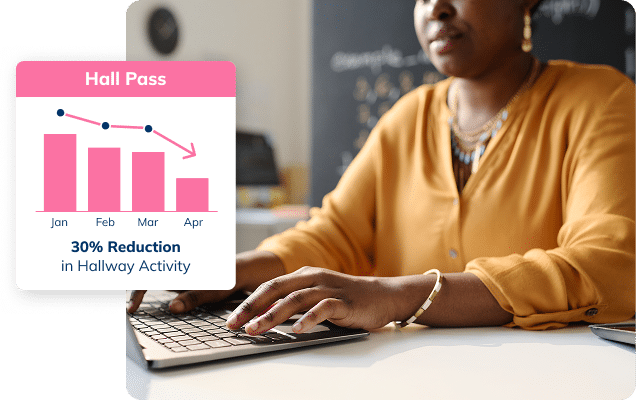
Admins see which students are racking up passes and hallway time, and where and when traffic spikes. Parents get a weekly summary of their child’s missed class time too. Together, that’s what lets you catch a small issue before it becomes a bigger one.
The Minga Difference
See How Minga Hall Passes Stack Up Against the Competition
Others offer a hall pass, we solve the hallway & more
| Features |
 |
|
|
 |
|---|---|---|---|---|
|
Pass scheduling & approvals
|
|
|
|
|
|
Kiosk mode
|
|
|
|
|
|
Real-time visibility
|
|
|
|
|
|
Meetup prevention
|
|
|
|
|
|
Meetup detection
|
|
|
|
|
|
Bell schedule integration
|
|
|
|
|
|
Pass creation in 3 clicks or less
|
|
|
|
|
|
Hall pass queue
|
|
|
|
|
|
Weekly summary for parents
|
|
|
|
|
|
Automatic tardy passes
|
|
|
|
|
| Solutions |
|
|
|
|
|---|---|---|---|---|
|
Hallway Management
|
|
|
|
|
|
Flex / Intervention & Enrichment
|
|
|
|
|
|
Positive Behavior & Rewards
|
|
|
|
|
|
Tardy Management
|
|
|
|
|
|
Negative Behavior & Consequences
|
|
|
|
|
|
Referral Management
|
|
|
|
|
|
Event Management
|
|
|
|
|
|
School Communication
|
|
|
|
|
Value for the Whole School Community

Admins
Better Control of What Happens in Your Hallways
With real-time visibility and reporting, you can spot trends, identify frequent flyers, and see how many issues you’ve prevented.

Teachers
Focus On Teaching, Not Policing the Hall
Minga manages hallway movement, so teachers can stay focused on their students, not on enforcing hall pass rules.

Students
Clear Expectations & Accountability
Students know where and when they can go, reducing opportunities for misbehavior in the hall.

Parents
Stay Informed & Confident
Parents gain visibility into their student’s school day and the instructional time they may be missing.
See the Minga Difference

Plans & Pricing
Digital Hall Pass Plans
Basic
For schools seeking basic digital tooling.
Basic Hall Pass Functionality
- Flexible workflows & kiosk mode
- No party groups / meetup blocking
- Customizable restrictions & pass limits
- Schedule passes & require approvals
- Analytics & missed class time
- Teacher dashboard
- Automatic rostering with MingaSync
More
Plus
For most schools that want less friction, better visibility, and more impact without extra work.
Everything in Basic, and:
- Hall pass queue
- Meetup detection
- Bell schedule
- Weekly summary for parents
- Historical reporting
- Student grade integration
More
Premium
For schools and districts that want a high-touch, consultative experience.
Everything in Plus, and:
- Dedicated CSM for fail-safe guidance
- Priority support for rapid problem solving
- Strategic leadership advisory & teacher/staff enablement
More
Case Study
Real Results from Schools & Districts Like Yours
How a Digital Hall Pass System Increased Instructional Time at Danbury High, CT














Turn Hallway Time Into Classroom Time
Join thousands of schools protecting class time and preventing hallway incidents with Minga.
FAQs – Digital Hall Pass
A digital hall pass is an electronic system that replaces traditional paper passes, modernizing how schools manage hall permissions. Teachers (or students, depending on school settings) can issue passes electronically for out-of-class activities such as bathroom breaks. Each pass logs key details such as the student’s name, destination, and time in a centralized dashboard. This real-time visibility promotes school safety, minimizes classroom disruptions, protects class time, and strengthens student accountability by providing clear oversight of student movement.
Never. Minga Hall passes only reports when a student checks out of class, and back in. We do not physically track students’ whereabouts, ever.
No, students can use their 1-1 device, such as a Chromebook, computer, or tablet, to create a hall pass. Additionally, they do not need to carry their device while moving through the halls. Once the hall pass is approved, it can be tracked through the dashboard, showing details like the type of pass, remaining time, and the assigned student.
If your school doesn’t have one-to-one devices, you have two options:
- Teacher-Led Workflow: Teachers can create hall passes for students using their computer. This method ensures that passes are managed and issued directly by the staff.
- Kiosk Mode: You can set up a secure kiosk mode, ideal for allowing students to create their own passes. By placing a Chromebook, iPad, or any web-enabled device in a common area, students can easily generate hall passes. Teachers can still issue passes as needed, and hall monitors can verify them.
You can also combine both options, enabling teachers to create passes when necessary while students use the kiosk for more autonomy.
If a school would like to specifically restrict the number of restroom passes a student may have, i.e 3 per day, but wishes the student to have up to 5 passes a day overall so they can use the other two for other purposes. They would set the overall limits in settings higher, then would use this setting to restrict the pass type separately.
Digital hall passes can enhance student safety by providing real-time monitoring and accountability, which helps in curbing issues like violence, vaping, and loitering in the hallways as well as areas like bathrooms. By monitoring student movement more efficiently, schools can react fast to issues and use historical data on pass usage to make places like bathrooms safer for everyone.
Schools can disable the entire hall pass solution to restrict hallway access, blocking any new passes from being created.
We offer several options for creating a digital hall pass to suit different classroom needs:
- Student-Created Hall Pass: Students can create their own hall passes, which minimizes classroom distractions and interruptions. This is our recommended best practice.
- Student-Created & Teacher-Approved: In this option, students create the hall pass, but the teacher needs to approve it before it becomes valid.
- Teacher-Created: The teacher creates the hall pass in their dashboard upon a student’s request.
- Staff-Created with Staff Approval: Staff members create the hall pass and it requires approval from another staff member.
These options provide flexibility to accommodate the unique needs of each classroom and ensure a smooth and efficient process for managing hall passes.
Pricing is based on your product bundle (whether you’re just looking for hallway management or want Minga’s complete platform ) and subscription plan (Basic, Plus, or Premium).
What subscription plan is best for hallway management?
Plus adds advanced automations like hall pass queues, so requests don’t interrupt class and teachers don’t have to track who’s next. It also gives staff more visibility and control over hallway movement, stronger reporting, and parent behavior summaries so families can stay informed about their student’s behavior patterns. Premium adds a layer of support for schools that want strategic advising and a partner to ensure successful implementation and adoption, with a dedicated Customer Success Manager, priority support, and staff training to support a smooth roll-out and consistent use.
Funny you should ask. Check out why schools are switching to Digital Hall Passes from Google Forms
Funny you should ask. Check out how we compare to SmartPass and e-hallpass.