

STUDENT ENRICHMENT
Students browse enrichment periods, pick what interests them, and sign up in one place. Teachers see their rosters fill up in real time.
Trusted by 2,500+ Schools

How Enrichment Period Sign-Ups Work in Minga
From browsing sessions to checking in, students are in charge of their own enrichment time.
Step 01 of 04
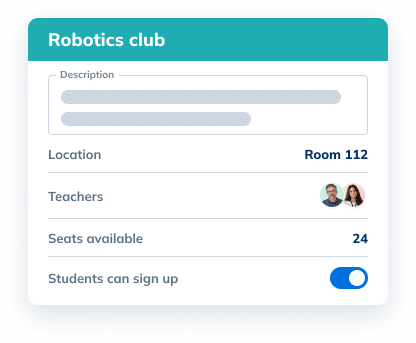
Create and customize activities
Teachers and staff create enrichment activities with a description, room, and seat limit.
Step 02 of 04
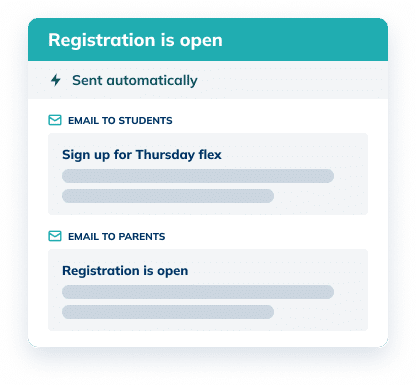
Notifications remind everyone to register
Students and parents get a heads-up the moment registration opens, so more students sign up on their own.
Step 03 of 04
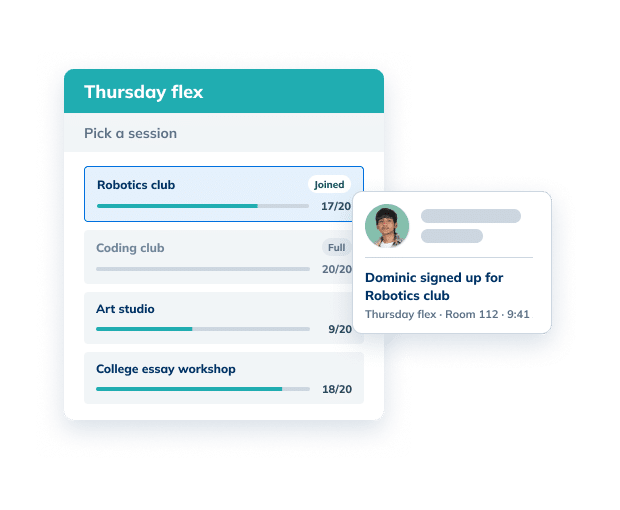
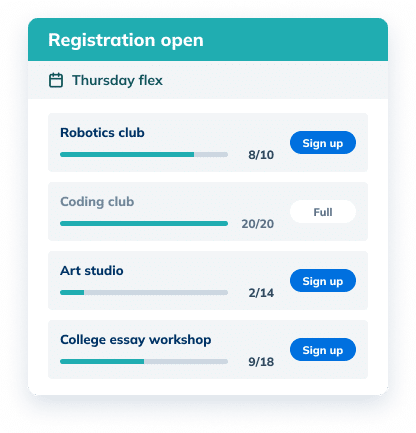
Students pick what fits them
Students browse the available enrichment schedule and sign up in just a click.
Step 04 of 04
Attendance gets updated in real time
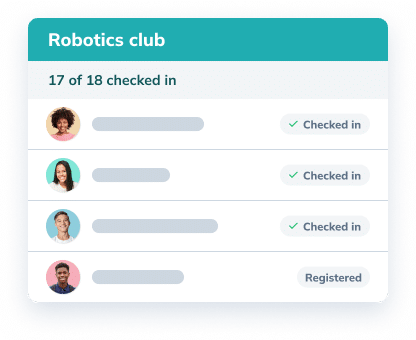
Students can check in to their activity with a QR code, scan their ID at a kiosk, or teachers can take attendance in My Class, so you know who showed up instantly.
See it in action

Flex time shouldn’t only be for catching up. Give students voice and choice in how they spend it, with sessions they actually want to sign up for.
Make Room for What Students Care About

Clubs and interest groups
Give students regular time during the school day to pursue what they love, from robotics to book club.

College and career prep
Schedule essay workshops, application help, and career talks every student can sign up for.

Arts and creative studios
Open studio time for art, music, and theater without competing with after-school schedules.

Wellness and movement
Offer yoga, open gym, or mindfulness sessions students can choose when they need a reset.
The Difference
Spreadsheets Can’t Run an Enrichment Period Like Minga Can
Sign-up forms, shared spreadsheets, and a flood of emails leave students guessing what’s on offer and staff juggling rosters. Minga puts every step in one place.
| Forms & Spreadsheets |
Minga

|
|---|---|
| 3+ tools to run one flex period: forms, spreadsheets, and email | 1 place for sign-ups, rosters, and attendance |
| A new sign-up form every flex period | Students sign up in Minga, rosters build themselves |
| Students guessing what’s on offer | Every session listed with details and open seats |
| Overfilled sessions and last-minute moves | Seat limits enforced, full sessions disappear |
| Students stuck in a session they didn’t pick | Students can switch while sign-ups are open |
| Paper attendance for every session | Check-in by QR code or ID scan |
FAQs – Student Enrichment
Personalized learning tailors learning to each student’s needs and interests, instead of giving every student the same thing at the same time. Flex periods are one of the most practical ways to make it happen. With Minga, students choose the enrichment sessions that fit their interests and sign themselves up.
Student enrichment is time for students to go deeper on a subject or explore an interest outside the regular curriculum, like clubs, electives, or college prep. In Minga, schools run enrichment sessions alongside intervention and tutoring, and students sign up for the sessions they want.
A flex period is a set time in the school day when students go to different sessions based on their interests and needs, from clubs and electives to study time. Minga handles sign-ups, rosters, and attendance for every flex period in one place.
When registration opens, students see the available activities in the Minga app and sign themselves up. Each activity has a seat limit and full sessions lock instantly, disabling further registrations so students can only sign up for activities with room.
Each session shows a description, location, and how many seats are left, so students can compare their options before signing up. Many schools offer a mix of clubs, arts, STEM, and college prep so every student finds something that matches their interests.
Yes. While sign-ups are open, students can change their choice and pick a different session with open seats. Once registration closes, rosters are set so teachers know exactly who to expect.
Students can check in to their session with a unique QR code, scan their student IDs or type in their ID number at a check-in kiosk, or teachers and staff can check students in from My Class in the app. Every check-in is recorded, so you know exactly who was where.
Make sign-ups easy, let students know when they open, and offer sessions that match what they care about. Minga notifies students and parents when registration opens and shows every session with its details and open seats, so it’s easy for students to find something worth joining.
Keep Exploring RTI Scheduler
Case Study
Houston County High builds its schedule in minutes, not hours.
Give Every Student a Say in How They Learn
See how Minga makes enrichment in school simple for students, teachers, and families.
