

BEHAVIOR TRACKER
Log classroom-managed and campus-wide behaviors from My Class in seconds. Minga keeps every incident documented, keeps families informed, and handles the follow-through.
Trusted by 2,500+ Schools

How Student Behavior Tracking Works in Minga
Log behaviors in three clicks, document incidents, make referrals, and automate consequences, all in one place.
Step 01 of 05
Log any behavior from My Class
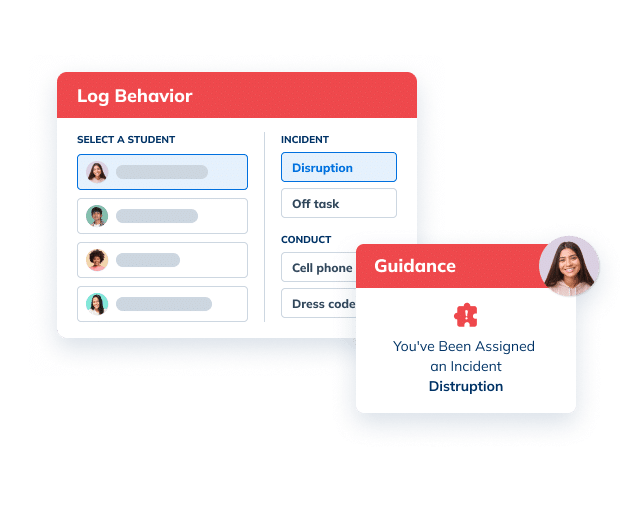
Pick the student, choose the behavior, and log. Classroom-managed and campus-wide behaviors both start here.

Step 02 of 05
Add the details for classroom-managed behaviors
For behaviors like disruption or off task, note what happened and how you responded.

Step 03 of 05
Reach families right from the incident log
For classroom-managed behaviors, parent contact info is one click away. For campus-wide behaviors and conduct, parents are notified instantly.

Step 04 of 05
Send a referral to the office
When a pattern keeps going, submit a referral and choose which incidents go with it and what’s been done about it so far.

Step 05 of 05
Campus-wide behaviors take care of themselves
Set up automations so that your campus-wide behavior policies can trigger automatically. Log tardies, cell phones, and dress code infractions in three clicks, and Minga handles the rest.

See it in action
Teachers log, document, and manage every behavior from My Class. Whether it’s handled in the classroom or by your campus-wide policy, it all lives in My Class.
Everything Teachers Need to Track Student Behavior, in One Place

Classroom-managed behaviors
Behaviors that a teacher handles in the moment, in their own classroom. Teachers record what happened and how they responded, reach parents right from the log, and escalate to the office with the history attached when needed.

Campus-wide behaviors
Behaviors that your school handles the same way everywhere, positive or corrective. Teachers log behavior in three clicks, and Minga automatically applies either points or the school’s progressive discipline policy. Either way, parents are notified instantly.
The Difference
Behavior Happens. The Write-Up Often Doesn’t. Minga Makes It Quick to Capture.
Between teaching, hallway duty, and everything else, documenting behavior is one more hassle for teachers and staff. Minga makes it easy and handles the follow-up for them, so more behavior lands on the student record.
| Manual |
Minga

|
|---|---|
| 5 steps to write up one behavior and follow up by hand | 1 quick log. Minga handles the rest. |
| Writing it up after class, if there’s time | Log it in a few clicks, in the moment |
| Deciding the next step on your own | Your policy assigns the next step automatically |
| Looking up a parent’s number before you can call | Parent notifications built in, plus contact info in the log |
| Emailing the office with what happened | Admins get the full story with the referral |
| Checking back to see if anyone followed up | Teachers kept in the loop on referral outcomes |
FAQs – Student Behavior Tracker
A student behavior tracker is a tool teachers use to record positive and negative behaviors as they happen, so there is a reliable record for each student. Minga’s behavior tracker lives in My Class, where teachers log any behavior in a few clicks and every entry is saved to the student’s behavior record.
The easiest way is to log behavior in the moment, without stopping the lesson. In Minga, teachers open My Class, pick the student and the behavior, and save. For classroom managed behaviors like disruption or off task, they can add what happened and how they responded. No time to log it in the moment? Customize the time and date on behaviors and incidents to log and document what happened retrospectively.
A useful student behavior log records the behavior, the date, who logged it, and what happened, along with how the teacher responded. Minga keeps all of that in one student record, together with positive recognition, so teachers and admins see the full picture rather than isolated incidents.
Classroom managed behaviors, like ‘disruption’ or ‘off-task’, are logged in Minga as incidents and allow teachers and staff to make note of what happened, how it was handled, and refer to the admin when necessary. Campus-wide behaviors, like tardies, cell phone violations, and dress code, that follow a set progressive discipline policy can be fully automated in Minga. When logged, campus-wide behaviors trigger consequence assignments and parent notifications automatically.
In Minga, parent phone numbers and emails appear right next to an in-class behavior, so teachers can call or email home without hunting for contact info. For campus-wide behaviors, parents are notified automatically, so teachers don’t have to reach out for every tardy or cell phone violation.
A referral makes sense when classroom responses aren’t changing a behavior, or when an incident needs admin involvement. In Minga, teachers can escalate to the office and choose which logged behaviors to attach, so admins see the history behind the referral instead of a single incident.
Progressive discipline depends on knowing how many times a behavior has happened. Minga counts campus-wide behaviors for every student and applies your policy automatically, from a warning to a detention or more, so the same behavior gets the same response in every classroom.
Look for logging that takes seconds, room to add extra details when they matter, parent contact info at a glance, built-in office referrals, and automatic progressive discipline for campus-wide behaviors. Minga includes all of these, with every behavior saved to one student record.
Explore More Student Behavior & Discipline Solutions
Set the rules once. Consequences follow.
Referrals with the full story attached.
From consequence to completion.
See patterns and step in early.
Make Behavior Tracking the Easy Part
See how Minga helps teachers log behaviors in seconds and gives admins the full story.
