

SCHOOL EVENT MANAGEMENT
Promote events, keep ticket and guest lists in one place, and check students in at the door by scanning their ID.
Trusted by 2,500+ Schools

How School Event Management & Ticketing Works in Minga
From the first post to the last student out the door, every event lives in one place.
Step 01 of 05
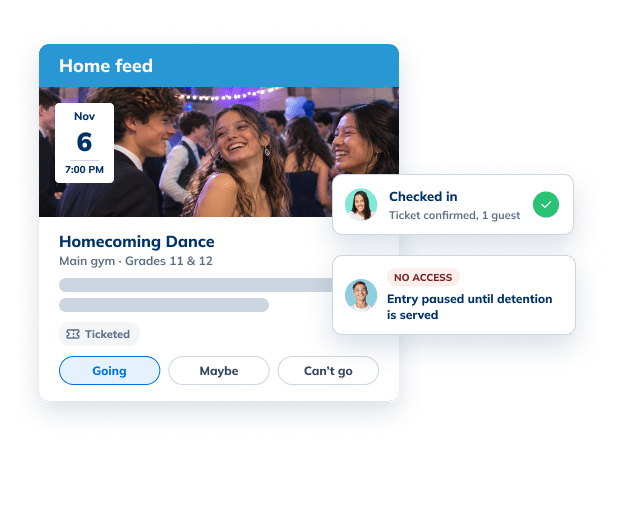
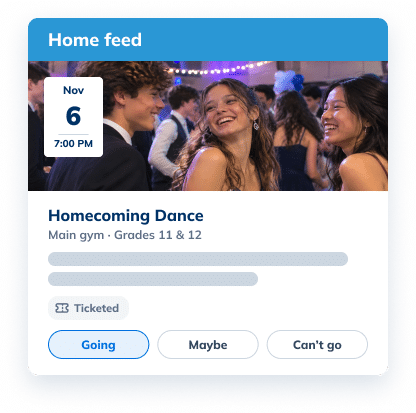
Create and promote any event
Post events to the school feed and invite the groups that should be there, from clubs to whole grades.
Step 02 of 05
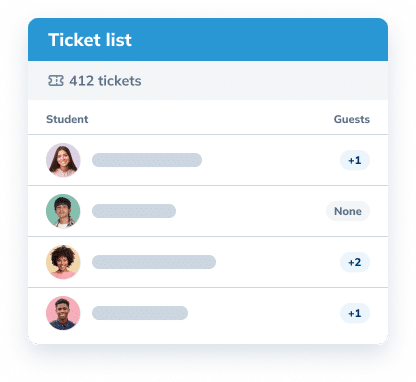
Manage ticket sales and guest lists
Sell or hand out digital tickets right in Minga, and see every student and plus-one on one guest list. Sold tickets somewhere else? Upload them and the list is ready at the door.
Step 03 of 05
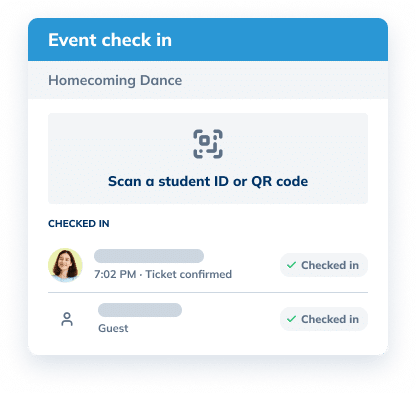
Check everyone in, whichever way you like
Scan a digital or printed student ID, enter an ID number or a name, or let attendees check themselves in with a QR code. No paper lists, no long lines.
Step 04 of 05
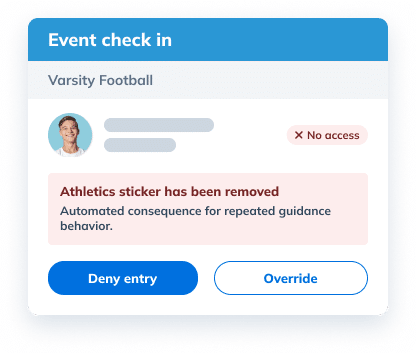
Know who’s cleared to attend
Digital ID stickers control who can attend each event. Automated consequences can remove access until a student earns it back.
Step 05 of 05
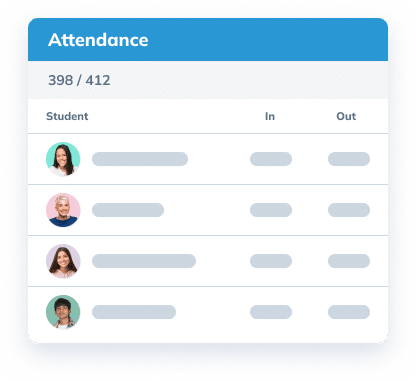
Know who came, and when
Every check-in and check-out is time-stamped, so you know exactly who is at the event.
See it in action

From the big dance to a Tuesday club meeting, every event runs the same way, so students know where to go and staff know who’s there.
Built for Every Kind of School Event

Dances and formals
Ticket lists, plus-ones, and a fast line at the door for the nights everyone shows up for.

Games and athletics
Check students in at the gate and know who’s in the stands.

Club meetings
Let members check themselves in with a QR code posted at the door.

Assemblies and spirit days
Promote it on the school feed and record who took part.
The Difference
Checking Names Off a List Keeps Everyone Waiting. Minga Clears the Line.
Printed lists and manual checks turn every entrance into a bottleneck. Minga confirms tickets and access with one scan, so the line keeps moving.
| Paper Lists |
Minga

|
|---|---|
| Hrs to get everyone checked into a school-wide event | Mins to check everyone in with just an ID scan |
| Ticket lists printed and reviewed by hand | Tickets confirmed automatically, no list to review |
| Checking names one by one at the door | One ID scan checks students in |
| Remembering & validating who’s lost privileges to attend | Students without access are flagged at the door |
| Attendance pieced together the next day | A live headcount and attendance from the first scan |
| No record of who left or came back | Every exit and re-entry tracked with a scan |
FAQs – School Event Management
School event management software helps schools plan, promote, and run events in one place, from invitations and ticket lists to check-in and attendance. Minga handles all of it alongside your student IDs, so checking students in is as simple as scanning an ID.
With Minga, event managers open the event on a phone, tablet, or computer and scan each student’s digital or printed ID, or search by name. Attendance is recorded the moment a student is checked in.
Yes. Turn on self check-in for an event and post its QR code at the entrance. Students scan it with their phone to check themselves in, which works well for club meetings and smaller events.
You can manage tickets right in Minga, including guests, so there’s no separate list to keep. If tickets cost money, payments run through Omella, Minga’s payments partner. At the door, one ID scan confirms the ticket and checks the student in.
Yes. Staff can check students out by scanning their ID again, and Minga records both check-in and check-out times for attendance reporting.
Yes. Schools can award points automatically when students check in to an event, which can help boost attendance at games, club meetings, and school activities.
Keep Exploring Communication & Events
Run Every Event Without the Clipboard
See how Minga handles tickets, guest lists, and check-in for every school event.
