It’s been a big year for Minga. With a steady stream of updates across FlexTime, behavior, hallway, and tardy management. Plus, we’ve enhanced the teacher experience and parent communication. Each update has been aimed at the same basic goal: less manual coordination for the people running a school, and better outcomes for the students in it.
Below is a quick tour through everything new this year, organized by story.
Hallway Management: Fewer Surprises in the Hallway
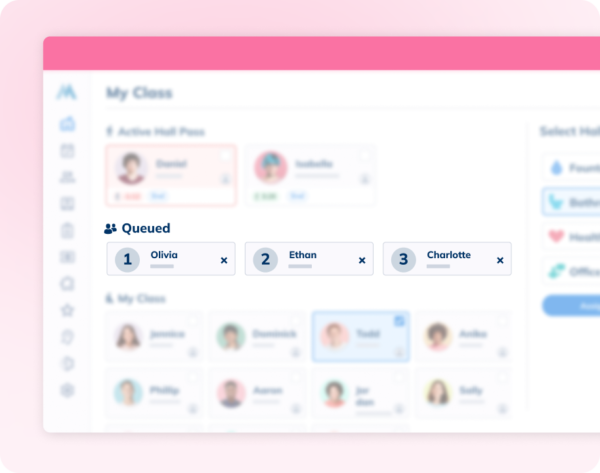
The Hall Pass Queue removes the manual waitlist from hallway management entirely.
When a student can’t get a pass right away, Minga places their request in a queue rather than denying it outright, and students can see exactly where they stand. Paired with the new Per Class Hall Pass Limits setting, schools can cap how many students are out of any classroom at once, enforced automatically, with no teacher having to keep count mid-lesson.
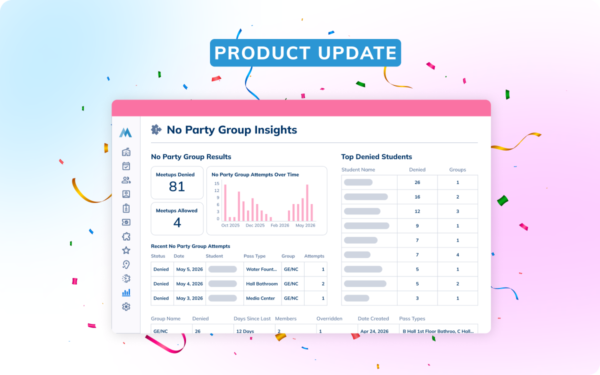
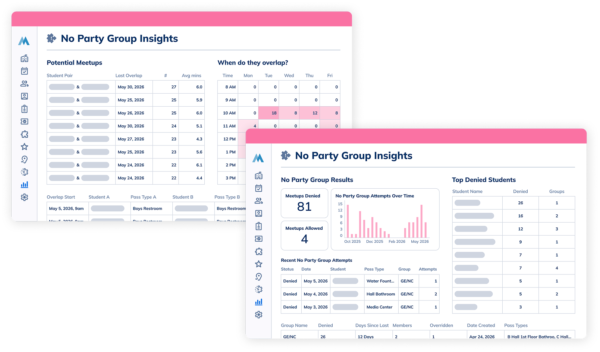
On top of that, No Party Group Insights now help admins spot potential meetups before they become incidents, and show whether existing groups are actually working.
Behavior: From Consequence to Completion
Assigning a consequence has always been the easy part. Following through on it, scheduling, tracking, and confirming completion have historically meant a lot of manual coordination.
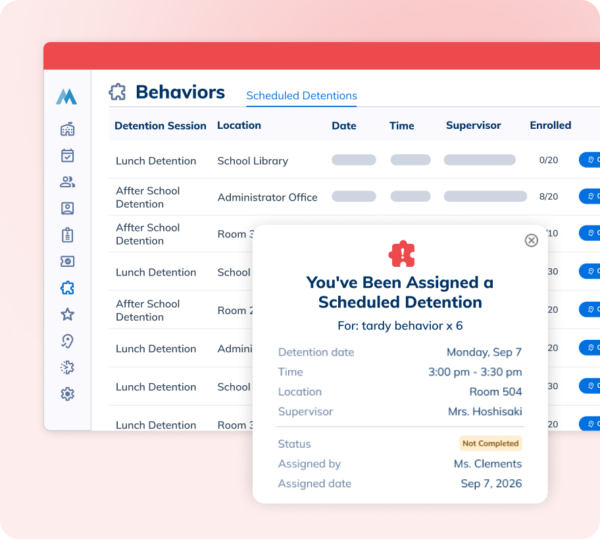
Scheduled Detentions close that gap: admins set up sessions with defined capacity and blackout periods, and Minga automatically enrolls students in an available detention session the moment a consequence is assigned.
Multi-Detentions extends that further, letting schools structure multi-day sequences with automatic escalation, a real alternative to in-school suspension.
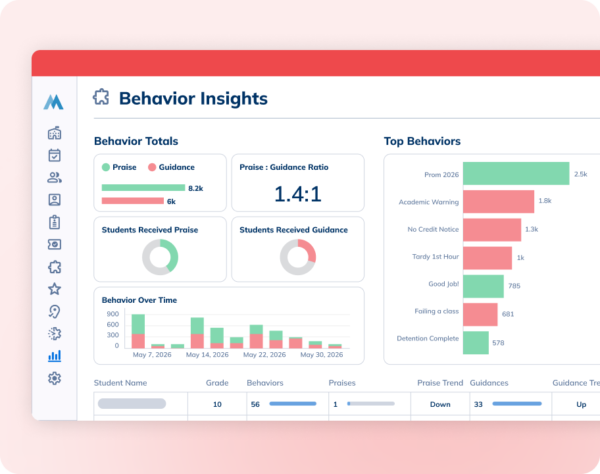
On the visibility side, Behavior Insights surfaces the praise-to-guidance ratio and flags equity gaps in who’s getting recognized, turning behavior logs into a clear picture of the campus and of a student, instead of a spreadsheet to interpret.
Tardy Management: Seeing the Full Tardy Picture
Tardiness is rarely just tardiness; it’s often the earliest sign a student is starting to disengage.
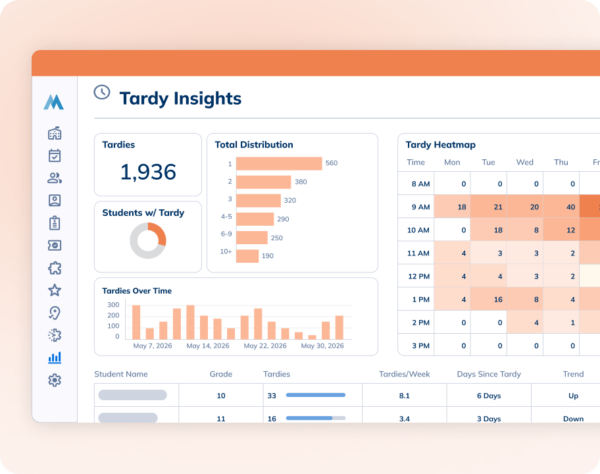
Tardy Insights give admins both sides of that story:
- A campus-level trend showing whether tardiness is heading up or down
- And a student-level view flagging who needs attention and who’s earned recognition for improving.
FlexTime: Getting Every Student Placed, With Less Setup
Intervention & Enrichment only works if students actually end up in the right place, and this year’s FlexTime updates cover the full enrollment lifecycle to make that happen with less manual coordination.
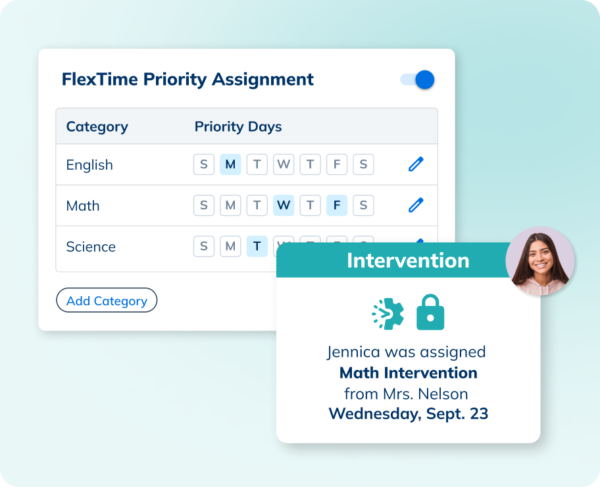
Priority Assignments give teachers drafting power to “lock” students into tier 2 interventions on set days of the week.
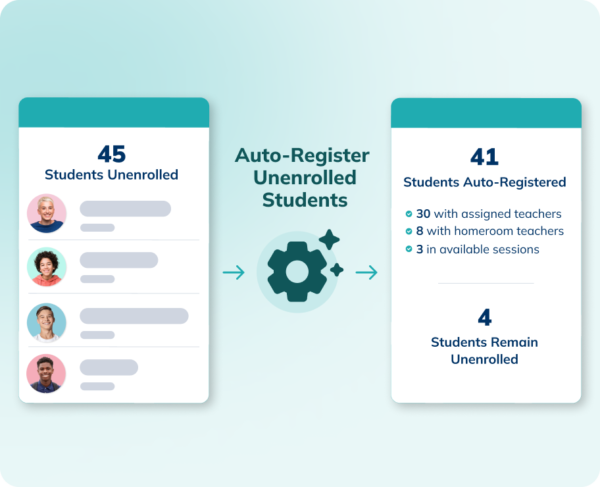
Automated Registration catches anyone still unenrolled and places them in an activity with a teacher they know.
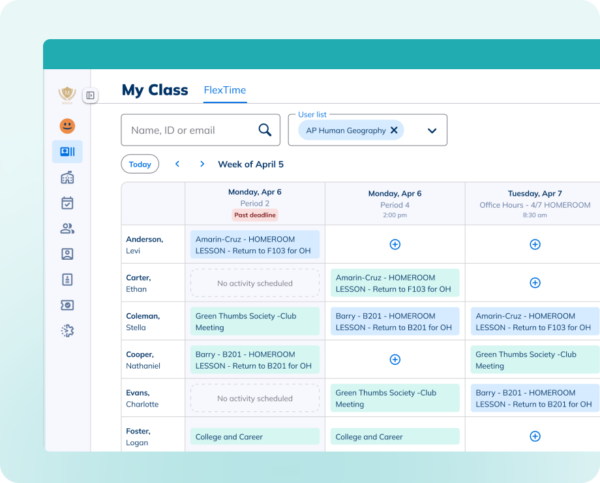
- Enrollment View, built into My Class, gives teachers visibility into where their students are going in upcoming flex periods, with unenrolled students clearly flagged.
- Period Notifications automatically alert students and parents when registration opens, so more students sign up on their own.
- Underneath all of it, Multi-Day Cloning means the flex schedule that makes this possible can get set up for a whole semester in as little as 30 seconds.
Teacher Experience: Small Updates That Add Up
We’ve launched some key, practical fixes that make a teacher’s day a little easier.
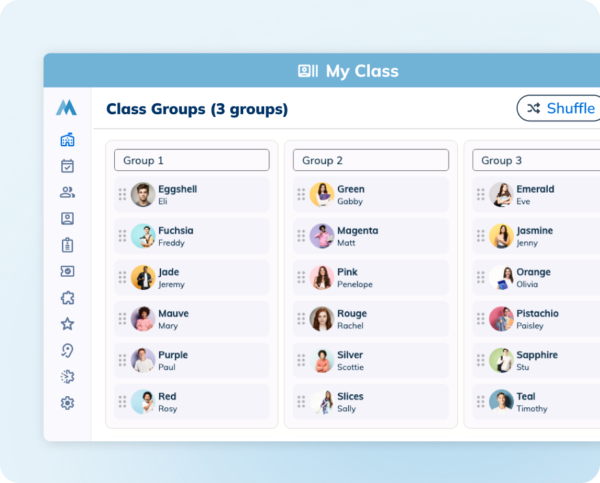
Class Groups let teachers build randomized student groups in a couple of clicks for projects or activities, with No Party Group controls to keep specific students apart. Groups can be adjusted with drag-and-drop and saved for use throughout the semester.
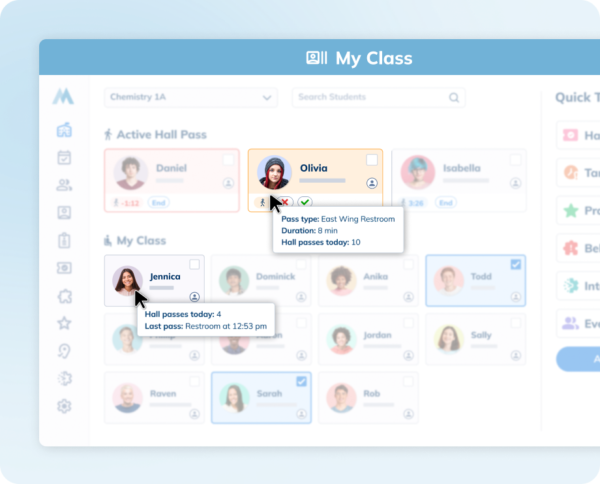
Hall pass at-a-glance gives teachers instant context, with zero disruptions. By clicking on a student card in My Class, Teachers can now view a student’s hall pass history for the day. Check for frequent class avoidance with just a click.
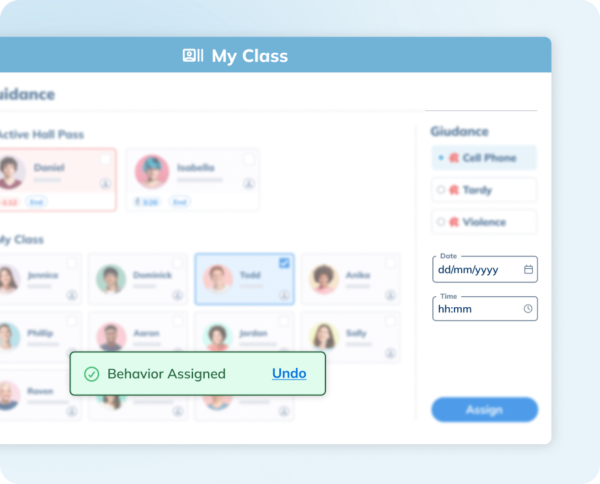
Backdate Behaviors means a behavior can be logged whenever a teacher has a free moment, dated to when it actually happened, instead of requiring an in-the-moment interruption. And for anyone who’s ever logged something by mistake, a short window to undo a behavior means small errors get caught before they turn into bigger ones.
Enrollment View, covered above in the FlexTime story, also lives here: it’s built directly into My Class, the same place teachers already manage all of this. It gives teachers visibility into where their students are going in upcoming flex periods, with unenrolled students clearly flagged.
Minga Calendar: One View for the Whole Month
Events, bell schedule, and flex activities used to live in separate places.
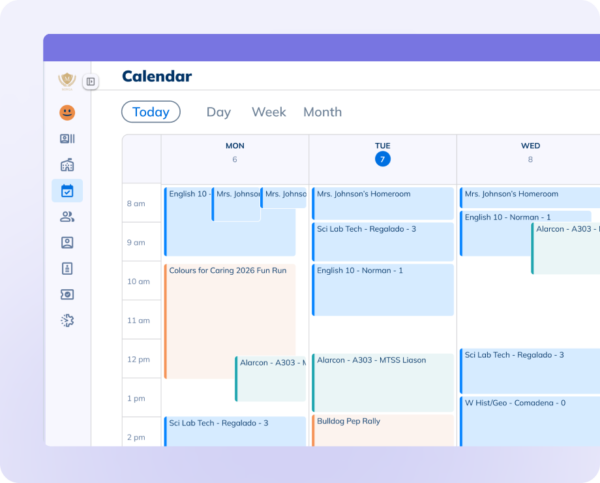
The new Minga Calendar consolidates everything into a single, personalized view:
- Students see their events, bell schedule, and enrolled flex sessions
- Teachers see their classes and any sessions or events they’re running
- And admins get visibility across the board
One place to see what’s happening and where everyone needs to be.
Parent Communication: Keeping Families in the Loop, Automatically
Families are often the last to know what’s actually going on with their own student, and closing that gap has always meant extra work for staff.
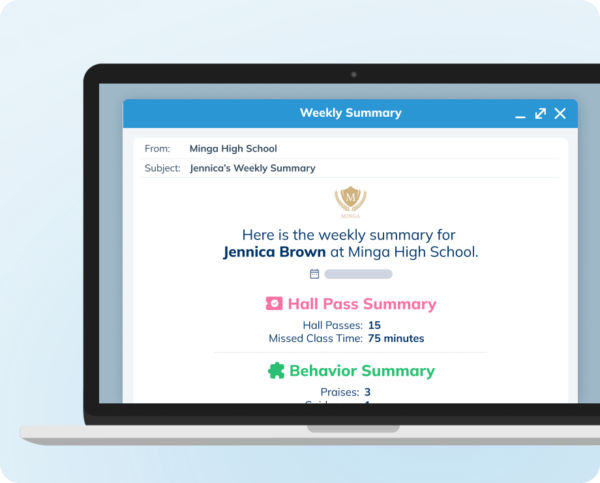
- Weekly Summary for Parents automates that entirely: every Saturday, families get an email summarizing hall pass activity, behavior, and points earned, with nothing for staff to draft or send.
- Email Announcements handle the other half, extending school news staff already post to the home feed straight to parents’ inboxes, in one step.
Everything Adds Up to the Same Story
Across all of it – FlexTime, behavior, hallway management, tardy tracking, the teacher experience, the calendar, parent communication – the same thread runs through every update:
Less manual coordination for staff, more visibility into what’s actually happening, and better follow-through for students.
None of it requires a school to change how it operates. It just means the platform is doing more of the work that used to fall on someone’s shoulders.
FAQ SECTION
- What’s new in Minga this year? Updates span FlexTime enrollment, detention management, hallway management, tardy data, trends, and reporting, the teacher experience, a unified calendar, and parent communication. See the sections above for a story-by-story breakdown.
- Are all these features available on every plan? No. Some, like Class Groups, Backdate Behaviors, Minga Calendar, and Email Announcements, are available to all customers. Others, including Scheduled Detentions, Multi-Detentions, the Hall Pass Queue, FlexTime priority assignments, auto-registration, multi-day cloning, all three insight reports, and Weekly Summary for Parents, are part of Plus and Premium.