

MORNING TARDY CHECK-IN
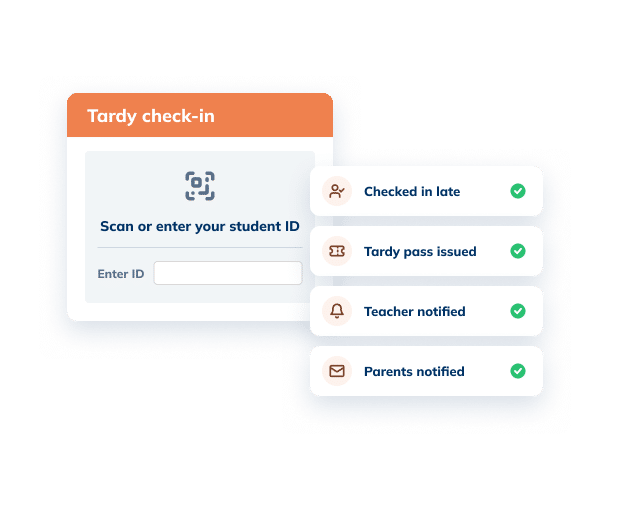
Late students check in at the front office in seconds. Minga issues the tardy pass, alerts the teacher and parents, and applies your tardy policy automatically.
Trusted by 2,500+ Schools

How Morning Tardy Check-In Works in Minga
One check-in at the front office sets everything else in motion.
Step 01 of 05
Late students check in at the front office
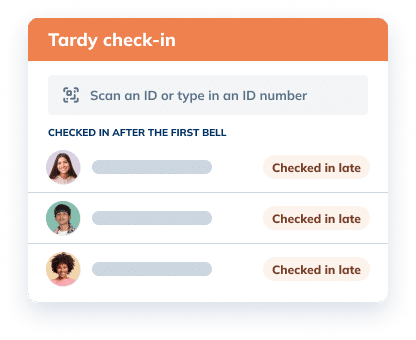
After the first bell, your check-in station switches to tardy check-in on its own. To check in late, students can scan their ID or type in their ID number, and Minga handles the rest.
Step 02 of 05
Minga issues the pass & tells the teacher
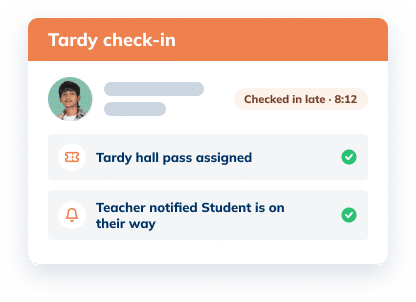
Checking in late issues a tardy hall pass automatically and lets the teacher know the student is on the way.
Step 03 of 05
Parents hear about it automatically
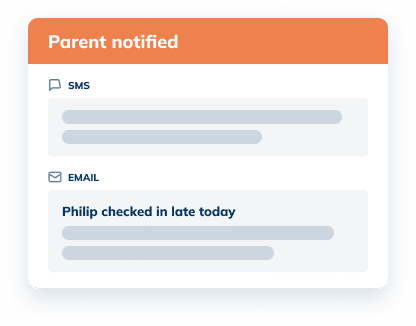
Families are notified the moment their student checks in late. No calls from the front office.
Step 04 of 05
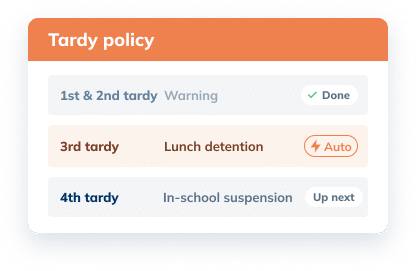
Your tardy policy applies itself
Minga tallies every tardy and assigns the right consequence, from a warning to a detention or ISS.
Step 05 of 05
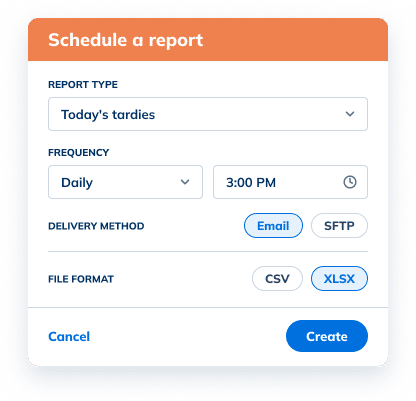
Tardy reports run daily, ready for your SIS
Every tardy lands in a scheduled report for the front office, as an emailed CSV file or by SFTP, ready to reconcile with your SIS.
See it in action

Mornings are the busiest time of day for the front office. Minga takes the tardy paperwork off your team’s plate and gets rid of the late line, so staff can focus on the students in front of them.
Every Part of the Morning Tardy, Covered

Quick tardy check-in
Late students check in at the front office in seconds by scanning their ID or typing in their ID number.

Digital tardy slips
Every late check-in issues a digital tardy pass, and teachers know the student is on the way.

Tardy tracking
Minga counts every tardy for every student, so totals are always accurate and up to date.

Parent notifications
Families are notified automatically every time their student checks in late.

Automated consequences
Warnings, detentions, and ISS are assigned based on your tardy policy.

SIS-ready reports
A daily report by Excel or SFTP for front office staff to reconcile in your SIS.
The Difference
Paper Tardy Slips Keep Students in Line. Minga Gets Them to Class.
Every slip written by hand keeps another student waiting at the front desk instead of in class. With Minga, late students check in and go.
| Paper Tardy Slips |
Minga Digital Tardy Slips

|
|---|---|
| 10+ hours a week per clerk on tardy slips and data entry | 0 paper slips to write, file, or type into the SIS |
| A line at the front desk every morning | Students check in and head to class in seconds |
| Writing and handing out slips one-by-one | Tardy pass issued at check-in |
| Students missing more class while they wait | Teachers know the student is on the way |
| Calling parents between check-ins | Parents notified automatically |
| Typing slips into the SIS at the end of the day | Daily Excel or SFTP report, ready to reconcile |
FAQs – Morning Tardy Check-In
A tardy slip is the note a school gives a student who arrives late, usually listing the time and reason, so they can enter class. Paper tardy slips have to be written, carried, and filed. Minga replaces them with a digital tardy pass issued at check-in, and the teacher is notified the student is on the way.
In Minga, late students check in at the front office station, which switches to tardy check-in after the first bell. Checking in records the tardy, issues a tardy hall pass, and notifies the teacher and parents automatically. There is nothing to write by hand, and every tardy is saved to the student’s record.
Many schools still track tardies with paper slips and spreadsheets, which makes counts hard to keep accurate. Minga tracks every tardy from the moment a student checks in, keeps a tally for each student, and sends front office staff a daily tardy report to reconcile in the SIS.
A progressive tardy policy assigns stronger consequences as tardies add up, such as a warning, then a detention, then in-school suspension. Minga applies your policy automatically based on each student’s tardy count, and enrolls them in a detention or ISS session when that is the chosen consequence.
With Minga, parents are notified automatically the moment their student checks in late, so the front office does not have to call or email home. Families stay informed every time, and staff can spend the morning helping students instead of making calls.
What makes the difference is consistency: every tardy recorded, every family informed, and the same consequence for the same number of tardies. Minga makes that automatic. Schools using Minga have reduced tardies by 40% or more in a single semester.
In Minga, you can schedule a recurring export of tardy data, delivered as a CSV or XLSX via email or SFTP, so it is ready to reconcile in your student information system. If you want to bring that tardy data into your SIS in an automated way, your district IT team can use the SFTP export Minga provides to set that up.
Yes. Beyond morning check-in, Minga also tracks tardies between classes during passing periods. Those tardies can count toward the same tardy policy, or be handled with their own dedicated passing period tardy policy. Either way, consequences and parent notifications are automated and stay consistent no matter when a student is late.
Keep Exploring Tardy Management
Make Every Morning Run Smoother
See how Minga handles morning tardies from check-in to SIS, without a single paper slip.
